Paldiski mnt.26A, Tallinn
 +372 50 64 135


Топ продаж



Новые товары
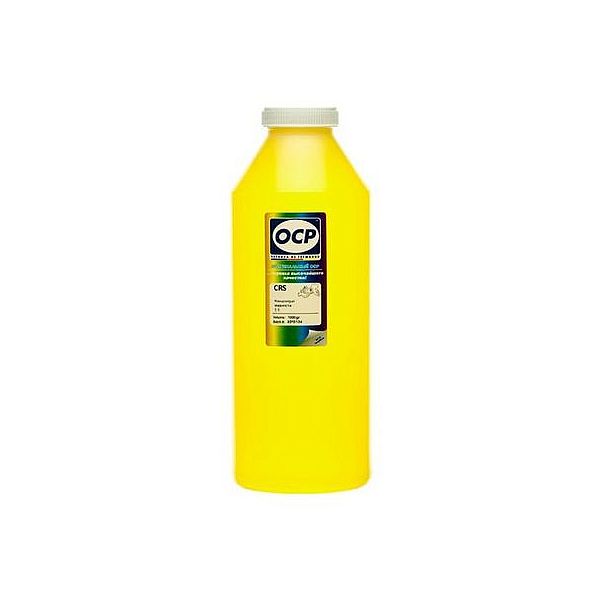
Жидкость для внутренней очистки печатающих головок OCP Yellow, 1L
Print head Cleaning liquid instructions\.
Replaceable print heads \(Hewlett Packard, some Lexmark series, Canon 2000 / 4000 / 5000 series\)\.
Some contaminations:
Soak the towel in the unclog printhead liquid and leave the print head \(on the towel\) in position like inside the printer for 15-30 minutes \(maximum 2 hours\)
after that period wipe near exhaust nozzles using a piece of cloth\.
Large contaminations:
Fill the flat dish with liquid and put the print head in position like inside the printer for up to 12 hours
CAUTION:
Do not sink the cartridge in the liquid at the level as the print head nozzles are located\. It may damage \(separate\) plastic parts of the cartridge\. Internal liquid may be injected inside the cartridge\. We receive the best effectiveness when liquid will be heated to temperature 55 °C\. It is very important not to cross that temperature\. Because the electronic plates are stuck, too large temperature of solution may cause plates unstick and also cartridge electronic damage\.Injecting liquid inside the cartridge it is necessary to remember to suck off using syringe with suction device after about 10 minutes\.
CAUTION:
We receive the largest effectiveness when the liquid is heated to 55 °C\. Don´t cross that temperature\.
Procedures with solid print heads \(Epson models\)\.
Proceed according to the following recommendations:
Start printing
During printing, take out plug from power cord \(the print head should be in a central position\)
Cut out a piece of cloth in the shape of print head
A piece of cloth must be soaked with liquid
put it on the park place \(usually at the right side of the printer\)
Shift the print head in the park position
Wait about 30 minutes
Remove a piece of cloth
Plug the printer in\.
Replaceable print heads \(Hewlett Packard, some Lexmark series, Canon 2000 / 4000 / 5000 series\)\.
Some contaminations:
Soak the towel in the unclog printhead liquid and leave the print head \(on the towel\) in position like inside the printer for 15-30 minutes \(maximum 2 hours\)
after that period wipe near exhaust nozzles using a piece of cloth\.
Large contaminations:
Fill the flat dish with liquid and put the print head in position like inside the printer for up to 12 hours
CAUTION:
Do not sink the cartridge in the liquid at the level as the print head nozzles are located\. It may damage \(separate\) plastic parts of the cartridge\. Internal liquid may be injected inside the cartridge\. We receive the best effectiveness when liquid will be heated to temperature 55 °C\. It is very important not to cross that temperature\. Because the electronic plates are stuck, too large temperature of solution may cause plates unstick and also cartridge electronic damage\.Injecting liquid inside the cartridge it is necessary to remember to suck off using syringe with suction device after about 10 minutes\.
CAUTION:
We receive the largest effectiveness when the liquid is heated to 55 °C\. Don´t cross that temperature\.
Procedures with solid print heads \(Epson models\)\.
Proceed according to the following recommendations:
Start printing
During printing, take out plug from power cord \(the print head should be in a central position\)
Cut out a piece of cloth in the shape of print head
A piece of cloth must be soaked with liquid
put it on the park place \(usually at the right side of the printer\)
Shift the print head in the park position
Wait about 30 minutes
Remove a piece of cloth
Plug the printer in\.
EAN:0

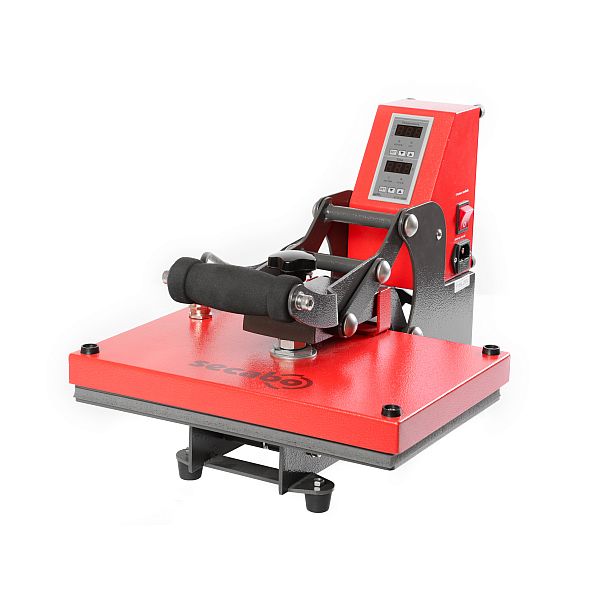
Secabo TC2 heat press 23cm x 33cm
With the TC2 heat press Secabo shows up with the right press for the introduction into textile finishing and other transfer techniques\. On the digital controller of the Secabo TC2 time and temperature for the transfers can be set\. After the transfer is done, an acoustic signal sounds\. The contact pressure is adjusted by a hand wheel on the upper side of the heating plate\. The pressing operation starts when the pressing lever is closed\. The large opening angle allows comfortable preparing of the transfer objects on the base plate\. The TC2 has a working area of 23cm x 33cm and a heating plate with a power consumption of 1\.000W\.
Cheap heat press for beginners
Mobile press for on-site use at events and merchandising
Large opening angle
Digital controller for temperature and time
Cheap heat press for beginners
Mobile press for on-site use at events and merchandising
Large opening angle
Digital controller for temperature and time
EAN:PIGU35288116
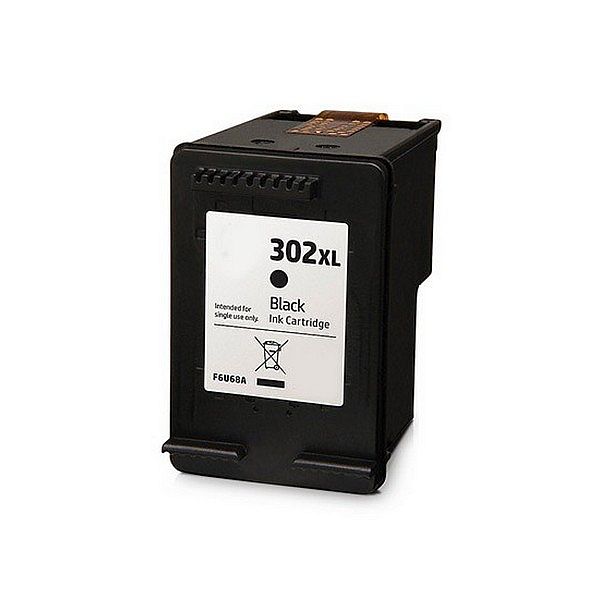
Совместимый картридж HP 302XL Black BRAND NEW!
HP Deskjet 1110 ink
HP Deskjet 2130
HP Deskjet 2132
HP Deskjet 2134
HP Deskjet 3630
HP Deskjet 3632 ink
HP Deskjet 3633 ink
HP Deskjet 3634 ink
HP Envy 4520 ink
HP Envy 4521 ink
HP Envy 4522 ink
HP Envy 4523 ink
HP Envy 4524 ink
HP Officejet 3830
HP Officejet 4650
HP Officejet 4651 ink
HP Officejet 4652 ink
HP Officejet 4654 ink
HP Deskjet 2130
HP Deskjet 2132
HP Deskjet 2134
HP Deskjet 3630
HP Deskjet 3632 ink
HP Deskjet 3633 ink
HP Deskjet 3634 ink
HP Envy 4520 ink
HP Envy 4521 ink
HP Envy 4522 ink
HP Envy 4523 ink
HP Envy 4524 ink
HP Officejet 3830
HP Officejet 4650
HP Officejet 4651 ink
HP Officejet 4652 ink
HP Officejet 4654 ink
EAN:PIGU35283776