Топ продаж
Новые товары
Жидкость для внутренней очистки печатающих головок OCP Yellow, 1L
Print head Cleaning liquid instructions\.
Replaceable print heads \(Hewlett Packard, some Lexmark series, Canon 2000 / 4000 / 5000 series\)\.
Some contaminations:
Soak the towel in the unclog printhead liquid and leave the print head \(on the towel\) in position like inside the printer for 15-30 minutes \(maximum 2 hours\)
after that period wipe near exhaust nozzles using a piece of cloth\.
Large contaminations:
Fill the flat dish with liquid and put the print head in position like inside the printer for up to 12 hours
CAUTION:
Do not sink the cartridge in the liquid at the level as the print head nozzles are located\. It may damage \(separate\) plastic parts of the cartridge\. Internal liquid may be injected inside the cartridge\. We receive the best effectiveness when liquid will be heated to temperature 55 °C\. It is very important not to cross that temperature\. Because the electronic plates are stuck, too large temperature of solution may cause plates unstick and also cartridge electronic damage\.Injecting liquid inside the cartridge it is necessary to remember to suck off using syringe with suction device after about 10 minutes\.
CAUTION:
We receive the largest effectiveness when the liquid is heated to 55 °C\. Don´t cross that temperature\.
Procedures with solid print heads \(Epson models\)\.
Proceed according to the following recommendations:
Start printing
During printing, take out plug from power cord \(the print head should be in a central position\)
Cut out a piece of cloth in the shape of print head
A piece of cloth must be soaked with liquid
put it on the park place \(usually at the right side of the printer\)
Shift the print head in the park position
Wait about 30 minutes
Remove a piece of cloth
Plug the printer in\.
Replaceable print heads \(Hewlett Packard, some Lexmark series, Canon 2000 / 4000 / 5000 series\)\.
Some contaminations:
Soak the towel in the unclog printhead liquid and leave the print head \(on the towel\) in position like inside the printer for 15-30 minutes \(maximum 2 hours\)
after that period wipe near exhaust nozzles using a piece of cloth\.
Large contaminations:
Fill the flat dish with liquid and put the print head in position like inside the printer for up to 12 hours
CAUTION:
Do not sink the cartridge in the liquid at the level as the print head nozzles are located\. It may damage \(separate\) plastic parts of the cartridge\. Internal liquid may be injected inside the cartridge\. We receive the best effectiveness when liquid will be heated to temperature 55 °C\. It is very important not to cross that temperature\. Because the electronic plates are stuck, too large temperature of solution may cause plates unstick and also cartridge electronic damage\.Injecting liquid inside the cartridge it is necessary to remember to suck off using syringe with suction device after about 10 minutes\.
CAUTION:
We receive the largest effectiveness when the liquid is heated to 55 °C\. Don´t cross that temperature\.
Procedures with solid print heads \(Epson models\)\.
Proceed according to the following recommendations:
Start printing
During printing, take out plug from power cord \(the print head should be in a central position\)
Cut out a piece of cloth in the shape of print head
A piece of cloth must be soaked with liquid
put it on the park place \(usually at the right side of the printer\)
Shift the print head in the park position
Wait about 30 minutes
Remove a piece of cloth
Plug the printer in\.
EAN:0
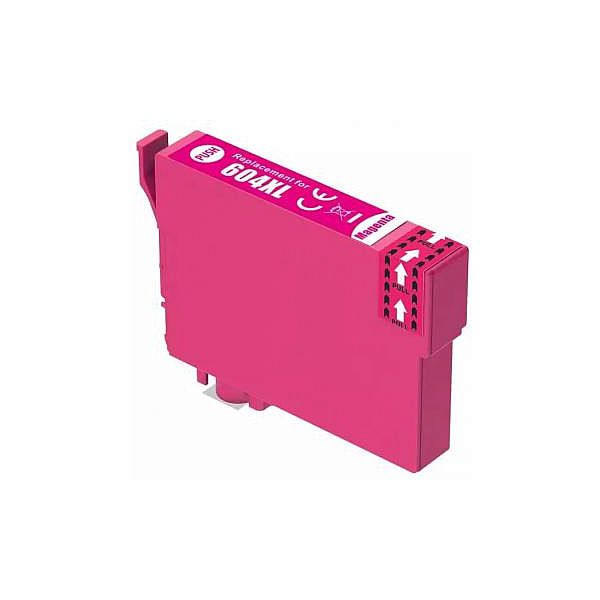
Epson T0713M MAGENTA
Epson Stylus 610FW / 615 / 8000 / CX4300 / D78 / D92 / D120 / D5050 / DX400 / DX4000 / DX4050 / DX4400 / DX4450 / DX5000 / DX5050 / DX6000 / DX6050 / DX7000 / DX7000f / DX7400 / DX7450 / DX8400 / DX8450 / DX9400F / DX9400 / S20 / S21 / SX100 / SX105 / SX110 / SX115 / SX200 / SX205 / SX210 / SX215 / SX218 / SX400 / SX405 / SX410 / SX415 / SX510W / SX515W / SX600FW / SX610FW; Epson Stylus Office B40W / BX300F / BX310FN / BX510 / BX600fw / BX610FW / BX3450
EAN:0
Secabo Adapter for base plate and quick-change-system Secabo TC5 SMART and TC7 SMART
Adapter to connect the original base plate of the transfer presses TC5 SMART or TC7 SMART with the matching quick-change system\. Also suitable for the slide extension\. With this adapter, the base plate can then also be replaced as a removable plate in seconds\. The special beam technology allows textiles to be coated over the base plate\.
EAN:PIGU35288116
Совместимый барабан Brother DR-3100 DR3100 / DR520 / DR3280 / DR3170
Brother DCP 8060
Brother DCP 8065DN
Brother DCP 8065
Brother HL 3145
Brother HL 5200
Brother HL 5240
HL 5240L
Brother HL 5250D
Brother HL 5250
HL 5250DN
Brother HL 5270
HL 5270D, HL 5270DN
Brother HL 5280
Brother HL 5280DW
Brother HL 5270 DN 2LT
Brother MFC 8460N 8470
MFC 8460cn
Brother MFC 8660 8670 DN
Brother MFC 8860DN
Brother MFC 8860 N
Brother MFC 8870DW
Brother DCP 8065DN
Brother DCP 8065
Brother HL 3145
Brother HL 5200
Brother HL 5240
HL 5240L
Brother HL 5250D
Brother HL 5250
HL 5250DN
Brother HL 5270
HL 5270D, HL 5270DN
Brother HL 5280
Brother HL 5280DW
Brother HL 5270 DN 2LT
Brother MFC 8460N 8470
MFC 8460cn
Brother MFC 8660 8670 DN
Brother MFC 8860DN
Brother MFC 8860 N
Brother MFC 8870DW
EAN:PIGU35284381