


 Paldiski mnt.26A, Tallinn
 +372 50 64 135


Enim müüdud



Uued tooted
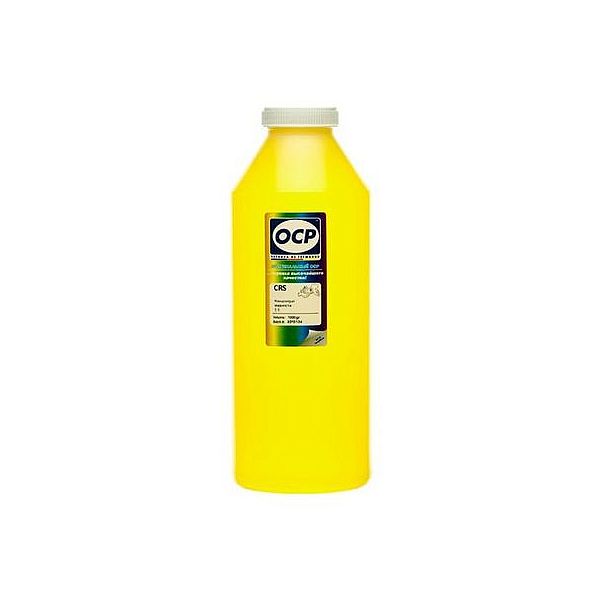
Tindipea sisepuhastuseks vedelik OCP Yellow, 1L
Print head Cleaning liquid instructions\.
Replaceable print heads \(Hewlett Packard, some Lexmark series, Canon 2000 / 4000 / 5000 series\)\.
Some contaminations:
Soak the towel in the unclog printhead liquid and leave the print head \(on the towel\) in position like inside the printer for 15-30 minutes \(maximum 2 hours\)
after that period wipe near exhaust nozzles using a piece of cloth\.
Large contaminations:
Fill the flat dish with liquid and put the print head in position like inside the printer for up to 12 hours
CAUTION:
Do not sink the cartridge in the liquid at the level as the print head nozzles are located\. It may damage \(separate\) plastic parts of the cartridge\. Internal liquid may be injected inside the cartridge\. We receive the best effectiveness when liquid will be heated to temperature 55 °C\. It is very important not to cross that temperature\. Because the electronic plates are stuck, too large temperature of solution may cause plates unstick and also cartridge electronic damage\.Injecting liquid inside the cartridge it is necessary to remember to suck off using syringe with suction device after about 10 minutes\.
CAUTION:
We receive the largest effectiveness when the liquid is heated to 55 °C\. Don´t cross that temperature\.
Procedures with solid print heads \(Epson models\)\.
Proceed according to the following recommendations:
Start printing
During printing, take out plug from power cord \(the print head should be in a central position\)
Cut out a piece of cloth in the shape of print head
A piece of cloth must be soaked with liquid
put it on the park place \(usually at the right side of the printer\)
Shift the print head in the park position
Wait about 30 minutes
Remove a piece of cloth
Plug the printer in\.
Replaceable print heads \(Hewlett Packard, some Lexmark series, Canon 2000 / 4000 / 5000 series\)\.
Some contaminations:
Soak the towel in the unclog printhead liquid and leave the print head \(on the towel\) in position like inside the printer for 15-30 minutes \(maximum 2 hours\)
after that period wipe near exhaust nozzles using a piece of cloth\.
Large contaminations:
Fill the flat dish with liquid and put the print head in position like inside the printer for up to 12 hours
CAUTION:
Do not sink the cartridge in the liquid at the level as the print head nozzles are located\. It may damage \(separate\) plastic parts of the cartridge\. Internal liquid may be injected inside the cartridge\. We receive the best effectiveness when liquid will be heated to temperature 55 °C\. It is very important not to cross that temperature\. Because the electronic plates are stuck, too large temperature of solution may cause plates unstick and also cartridge electronic damage\.Injecting liquid inside the cartridge it is necessary to remember to suck off using syringe with suction device after about 10 minutes\.
CAUTION:
We receive the largest effectiveness when the liquid is heated to 55 °C\. Don´t cross that temperature\.
Procedures with solid print heads \(Epson models\)\.
Proceed according to the following recommendations:
Start printing
During printing, take out plug from power cord \(the print head should be in a central position\)
Cut out a piece of cloth in the shape of print head
A piece of cloth must be soaked with liquid
put it on the park place \(usually at the right side of the printer\)
Shift the print head in the park position
Wait about 30 minutes
Remove a piece of cloth
Plug the printer in\.
EAN:0



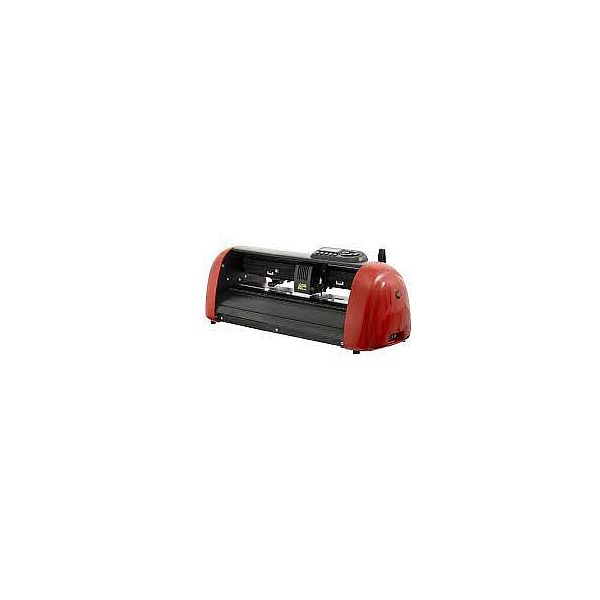
Secabo C60IV vinyl cutter with LAPOS2
The cutting plotters of the CIV series from Secabo are a consistent further development of the well-known CIII cutting plotter series from Secabo\. The use of the Secabo C60IV cutting plotter is possible in almost all professional areas of signmaking due to the improved cutting quality as well as higher reliability and precision\. With a cutting width of up to 61cm, the C60IV cutting plotter can handle even large jobs and high quantities\. With its stepper motor, all common materials such as adhesive films, self-adhesive films, flock films, flex films, stencil films, paper, cardboard, etc\. in widths up to 72cm can be processed with the new Secabo C60IV cutting plotter\. The large illuminated display as well as the large buttons allow an easy operation of the Secabo C60IV cutting plotter, with the improved LAPOS2 technology printed films can be cut with contour accuracy\. The C60IV cutting plotter is conveniently controlled via the supplied DrawCut LITE cutting software\. The practical stand with roll holder is optionally available\.
Easy installation on PC, no additional drivers required
Error-free plotting even with extensive plots
Common lowering of all pinch rollers via a central lever
Precise cutting even with small fonts
LAPOS2 Contour cut function
Easy installation on PC, no additional drivers required
Error-free plotting even with extensive plots
Common lowering of all pinch rollers via a central lever
Precise cutting even with small fonts
LAPOS2 Contour cut function
EAN:PIGU35288116