Panga lingid, Järelmaks
Maksmine
info@dmc.ee
Toetus E-R 9-18
Ostud üle 50 eur
saadame tasuta pakiautomaati
Enim müüdud
Uued tooted
Epson C13T11D140 Ink cartridge for Pro WF-C5390DW / WF-C5890DWF, Black (5000 pages)
122,10 €
ANALOOG TINDIKASSETT HP 920XL Sinine
4,67 €
ANALOOG TINT Epson T26XL T2634 Yellow
4,04 €
Tindipea sisepuhastuseks vedelik OCP Yellow, 250ml
14,00 €
Print head Cleaning liquid instructions\.
Replaceable print heads \(Hewlett Packard, some Lexmark series, Canon 2000 / 4000 / 5000 series\)\.
Some contaminations:
Soak the towel in the unclog printhead liquid and leave the print head \(on the towel\) in position like inside the printer for 15-30 minutes \(maximum 2 hours\)
after that period wipe near exhaust nozzles using a piece of cloth\.
Large contaminations:
Fill the flat dish with liquid and put the print head in position like inside the printer for up to 12 hours
CAUTION:
Do not sink the cartridge in the liquid at the level as the print head nozzles are located\. It may damage \(separate\) plastic parts of the cartridge\. Internal liquid may be injected inside the cartridge\. We receive the best effectiveness when liquid will be heated to temperature 55 °C\. It is very important not to cross that temperature\. Because the electronic plates are stuck, too large temperature of solution may cause plates unstick and also cartridge electronic damage\.Injecting liquid inside the cartridge it is necessary to remember to suck off using syringe with suction device after about 10 minutes\.
CAUTION:
We receive the largest effectiveness when the liquid is heated to 55 °C\. Don´t cross that temperature\.
Procedures with solid print heads \(Epson models\)\.
Proceed according to the following recommendations:
Start printing
During printing, take out plug from power cord \(the print head should be in a central position\)
Cut out a piece of cloth in the shape of print head
A piece of cloth must be soaked with liquid
put it on the park place \(usually at the right side of the printer\)
Shift the print head in the park position
Wait about 30 minutes
Remove a piece of cloth
Plug the printer in\.
Replaceable print heads \(Hewlett Packard, some Lexmark series, Canon 2000 / 4000 / 5000 series\)\.
Some contaminations:
Soak the towel in the unclog printhead liquid and leave the print head \(on the towel\) in position like inside the printer for 15-30 minutes \(maximum 2 hours\)
after that period wipe near exhaust nozzles using a piece of cloth\.
Large contaminations:
Fill the flat dish with liquid and put the print head in position like inside the printer for up to 12 hours
CAUTION:
Do not sink the cartridge in the liquid at the level as the print head nozzles are located\. It may damage \(separate\) plastic parts of the cartridge\. Internal liquid may be injected inside the cartridge\. We receive the best effectiveness when liquid will be heated to temperature 55 °C\. It is very important not to cross that temperature\. Because the electronic plates are stuck, too large temperature of solution may cause plates unstick and also cartridge electronic damage\.Injecting liquid inside the cartridge it is necessary to remember to suck off using syringe with suction device after about 10 minutes\.
CAUTION:
We receive the largest effectiveness when the liquid is heated to 55 °C\. Don´t cross that temperature\.
Procedures with solid print heads \(Epson models\)\.
Proceed according to the following recommendations:
Start printing
During printing, take out plug from power cord \(the print head should be in a central position\)
Cut out a piece of cloth in the shape of print head
A piece of cloth must be soaked with liquid
put it on the park place \(usually at the right side of the printer\)
Shift the print head in the park position
Wait about 30 minutes
Remove a piece of cloth
Plug the printer in\.
EAN:0
ANALOOG TINDIKASSETTIDE KOMPLEKT HP 301XL Black / HP 301XL TriColor
35,77 €
HP Deskjet 1000CSE
HP Deskjet 1000
HP Deskjet 1000c
HP Deskjet 1000cxi
HP Deskjet 1010
HP Deskjet 1050se
HP Deskjet 1050a
HP Deskjet 1050A All-in-One
HP Deskjet 1050
HP Deskjet 1055
HP Deskjet 1510
HP Deskjet 1512
HP Deskjet 1514
HP Deskjet 2000
HP Deskjet 2050se
HP Deskjet 2050a
HP Deskjet 2050
HP Deskjet 2050s
HP Deskjet 2054a
HP Deskjet 2510
HP Deskjet 2514
HP Deskjet 2540
HP Deskjet 2542
HP Deskjet 2544
HP Deskjet 3000
HP Deskjet 3050
HP Deskjet 3050a
HP Deskjet 3050a E All-inOne
HP Deskjet 3050se
HP Deskjet 3050ve
HP Deskjet 3052 A
HP Deskjet 3054a
HP Deskjet 3055A
HP Deskjet 3055A E All-in-One
HP Deskjet 3059a
HP Deskjet 1000 \(J110a\)
HP Deskjet 1050a CQ198B
HP Deskjet 3050 \(J610 model\)
HP Envy 4500 E All-in-One
HP Envy 4500
HP Envy 4502
HP Envy 4502 e All-in-One
HP Envy 4504
HP Envy 4504 e All-in-One
HP Envy 4505 e All-in-One
HP Envy 4505
HP Envy 4507 All-in-One
HP Envy 5530 e All-in-One
HP Envy 5530
HP Envy 5532 e All-in-One
HP Envy 5532
HP Envy 5539
HP Envy 5539 e All-in-One
HP Officejet 2620
HP Officejet 2622
HP Officejet 2624
HP Officejet 4630
HP Officejet 4632
HP Officejet 4634
HP Officejet 4636
HP Deskjet 1000
HP Deskjet 1000c
HP Deskjet 1000cxi
HP Deskjet 1010
HP Deskjet 1050se
HP Deskjet 1050a
HP Deskjet 1050A All-in-One
HP Deskjet 1050
HP Deskjet 1055
HP Deskjet 1510
HP Deskjet 1512
HP Deskjet 1514
HP Deskjet 2000
HP Deskjet 2050se
HP Deskjet 2050a
HP Deskjet 2050
HP Deskjet 2050s
HP Deskjet 2054a
HP Deskjet 2510
HP Deskjet 2514
HP Deskjet 2540
HP Deskjet 2542
HP Deskjet 2544
HP Deskjet 3000
HP Deskjet 3050
HP Deskjet 3050a
HP Deskjet 3050a E All-inOne
HP Deskjet 3050se
HP Deskjet 3050ve
HP Deskjet 3052 A
HP Deskjet 3054a
HP Deskjet 3055A
HP Deskjet 3055A E All-in-One
HP Deskjet 3059a
HP Deskjet 1000 \(J110a\)
HP Deskjet 1050a CQ198B
HP Deskjet 3050 \(J610 model\)
HP Envy 4500 E All-in-One
HP Envy 4500
HP Envy 4502
HP Envy 4502 e All-in-One
HP Envy 4504
HP Envy 4504 e All-in-One
HP Envy 4505 e All-in-One
HP Envy 4505
HP Envy 4507 All-in-One
HP Envy 5530 e All-in-One
HP Envy 5530
HP Envy 5532 e All-in-One
HP Envy 5532
HP Envy 5539
HP Envy 5539 e All-in-One
HP Officejet 2620
HP Officejet 2622
HP Officejet 2624
HP Officejet 4630
HP Officejet 4632
HP Officejet 4634
HP Officejet 4636
EAN:PIGU35283726
Brother Ink LC 3219 Magenta (LC3219XLM)
43,29 €
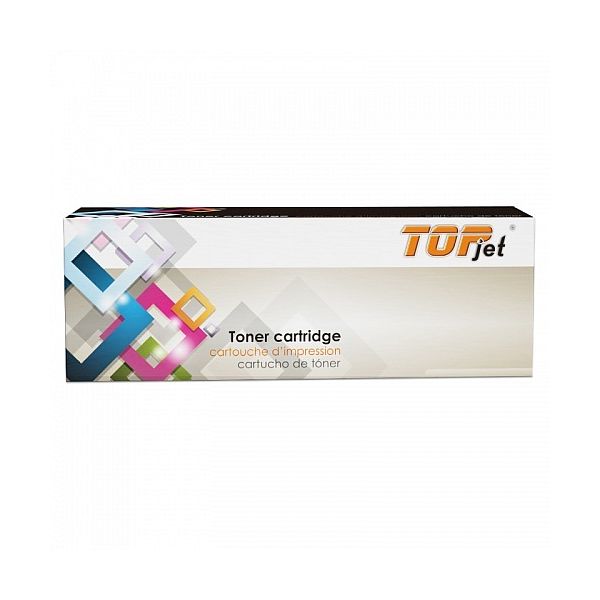
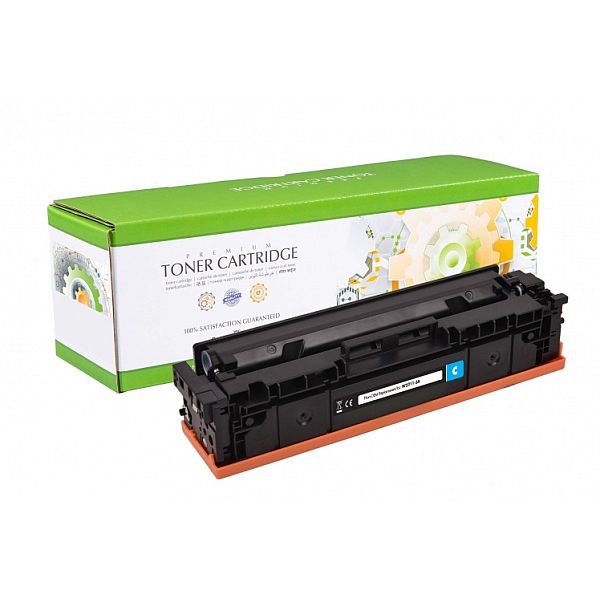
ANALOOG TOONER Brother TN-6600 / TN6600
28,51 €
Brother DCP 1200
Brother DCP 1400
Brother Fax 4100
Brother Fax 4750
Brother Fax 5750
Brother Fax 8350 P
Brother Fax 8360P
Brother Fax 8360 PLT
Brother Fax 8750 P
Brother HL 1030
Brother HL 1200
Brother HL 1220
Brother HL 1230
Brother HL 1240
Brother HL 1250
Brother HL 1270N
Brother HL 1270
Brother HL 1420
Brother HL 1430
Brother HL 1435
Brother HL 1440
Brother HL 1450
Brother HL 1470
Brother HL 1470N
Brother HL P2500
Brother HL P2500/LT L7/8350
Brother MFC 6750
Brother MFC 8500
Brother MFC 8700
Brother MFC 9650
Brother MFC 9660N
Brother MFC 9660
Brother MFC 9700
Brother MFC 9750
Brother MFC 9760
Brother MFC 9800
Brother MFC 9850
Brother MFC 9860
Brother MFC 9870
Brother MFC 9870N
Brother MFC 9880
Brother DCP 1400
Brother Fax 4100
Brother Fax 4750
Brother Fax 5750
Brother Fax 8350 P
Brother Fax 8360P
Brother Fax 8360 PLT
Brother Fax 8750 P
Brother HL 1030
Brother HL 1200
Brother HL 1220
Brother HL 1230
Brother HL 1240
Brother HL 1250
Brother HL 1270N
Brother HL 1270
Brother HL 1420
Brother HL 1430
Brother HL 1435
Brother HL 1440
Brother HL 1450
Brother HL 1470
Brother HL 1470N
Brother HL P2500
Brother HL P2500/LT L7/8350
Brother MFC 6750
Brother MFC 8500
Brother MFC 8700
Brother MFC 9650
Brother MFC 9660N
Brother MFC 9660
Brother MFC 9700
Brother MFC 9750
Brother MFC 9760
Brother MFC 9800
Brother MFC 9850
Brother MFC 9860
Brother MFC 9870
Brother MFC 9870N
Brother MFC 9880
EAN:0