Paldiski mnt.26A, Tallinn
 +372 50 64 135


Enim müüdud






Uued tooted

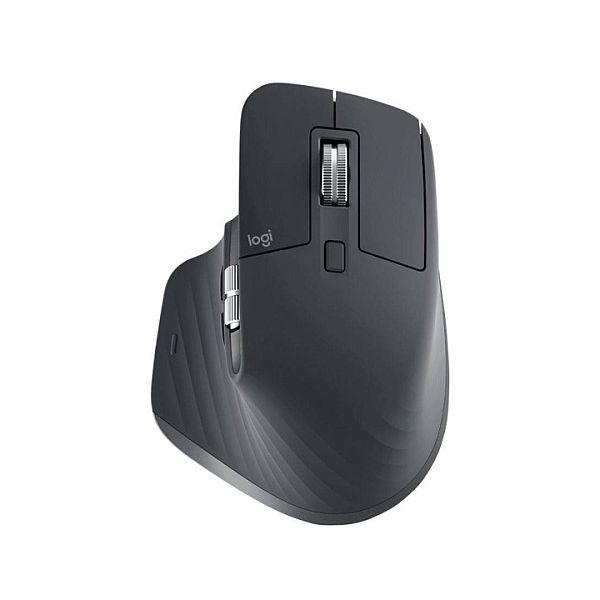
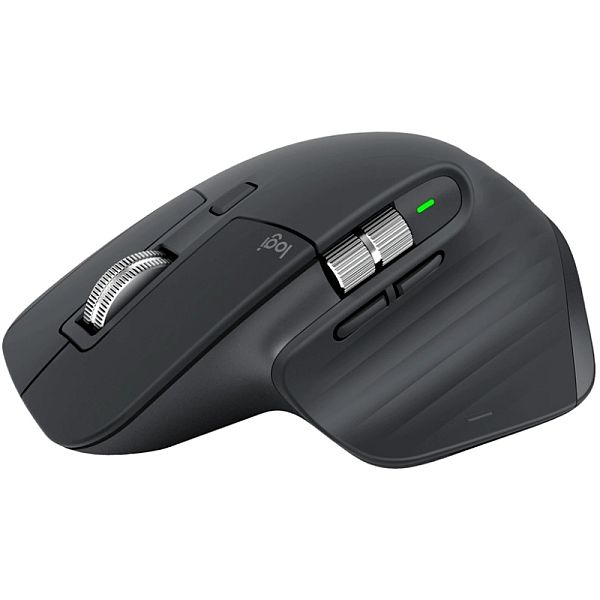
Logitech MX Master 3S for Business Wireless Mouse RF Wireless + Bluetooth, Laser, 8000 DPI, Graphite
The professional device for high-end applications at the highest level - The TS7 SMART swing-away heat press by Secabo is THE professional device for garment finishing at the highest level and the first heat press by Secabo Made in Germany\. The professional device has a modular structure and thus presents you with an optimal basis for creating your fully individualized “workhorse”\. With its comfortable automatic swinging mechanism, the Secabo TS7 heat press offers a large workspace for comfortable placement of transfer objects\. The spacious base plate with a size of 40cm × 50cm is arranged in portrait mode, further simplifying the precise positioning of the transfer objects\. Transfer objects with a height of up to 100mm are easy to work with thanks to the press head's tall adjustment range and can be pressed with a maximum contact pressure of up to 250g/cm2\. Regardless of whether you want to press work trousers, gym bags or hoodies, the large adjustment range ensures a great level of flexibility\. With its swiveling angle of 110° allows the operator to work in a pleasant working position\. The TS7 SMART's swivel direction can be set to the right or to the left, thus ensuring that the heat press perfectly fits within just about any production environment\. The automatic opening and automatic swinging of the TS7 SMART swing-away heat press upon transfers makes your work easier and ensures a smooth workflow\. The Secabo TS7 Smart is suitable for all known heat transfer methods and can be used in all areas of transfer technology\. As is to be expected from Secabo, the TS7 SMART is exceptionally user-friendly and can also be operated by novice users\. The device is provided with digital controller that allows precise setting of a temperature of up to 225 °C and a pressing time of up to 999s for the transfer\. As is the case with all TC SMART series products from Secabo, the TS7 SMART features a Bluetooth interface which, along with the Secabo SMART Transfer App, offers complete instructions for multi-stage transfer and many other great features\. The TS7 SMART heat press is compatible with the Softheat heat plate SH7 and/or the Thermobase TB7, quick-change systems, exchangeable base plates and the slide extension as well as other accessories from Secabo\.
Suitable for transfer objects with a height of 0mm - 70mm
Modular construction, compatible with various heat and base plates
Bluetooth interface for the Secabo app with integrated transfer-database and numerous additional features
Digital controller for temperature, time, pre-pressing, counter and many additional features with innovative operating concept
Very wide swivel angle 110°
Max\. contact pressure of 250g/cm² can be reached with little manual effort
Swivel direction left/right selectable
Compatible with quick changer, slide extension and other Secabo accessories
Suitable for transfer objects with a height of 0mm - 70mm
Modular construction, compatible with various heat and base plates
Bluetooth interface for the Secabo app with integrated transfer-database and numerous additional features
Digital controller for temperature, time, pre-pressing, counter and many additional features with innovative operating concept
Very wide swivel angle 110°
Max\. contact pressure of 250g/cm² can be reached with little manual effort
Swivel direction left/right selectable
Compatible with quick changer, slide extension and other Secabo accessories
EAN:PIGU35288116