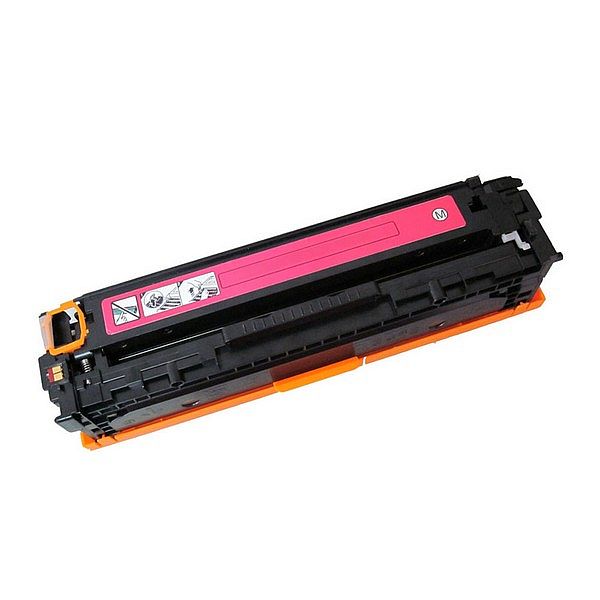
Compatible cartridges
Original cartridges
Bank links, installment
Payment
info@dmc.ee
Support Mn-Fr 9-18
Free delivery
to parcel machines
from 50 eur
Top sell
New products
Secabo DrawCut EXPERT cutting software single license
578,66 €
DrawCut EXPERT is a software package that provides a complete solution for all sign and label creation needs\. It's packed with tools and features to design and plot foil fonts, stickers or textile finishes, as well as everything you need to create banners, posters, flags and more\. The choice of tools and effects for text, objects, and curves in DrawCut EXPERT is unmatched in comparable applications\. With DrawCut EXPERT you will be independent of applications like CorelDraw, Adobe Illustrator and others\. DrawCut EXPERT is also available as an upgrade from DrawCut LITE and PRO\. DrawCut EXPERT supports many popular vinyl cutters of well-known brands\. After the order process, you will receive a code with your invoice that you can use to download your DrawCut EXPERT at https://buy\.draw-cut\.com/\?edition=4\. Here, the payment is made by "Voucher" with the code that you find on your bill\. You will then receive your DrawCut EXPERT serial number by email, which will allow you to download and install DrawCut EXPERT at www\.draw-cut\.com\. Software products are generally excluded from return\.
EAN:PIGU35288116
STANGER highlighter, 1-5 mm, set 6 pcs 180008000
5,26 €
ANALOOG TOONER Samsung CLT-K4092S
18,14 €
Tindipea sisepuhastuseks vedelik OCP Yellow, 1L
21,25 €
Print head Cleaning liquid instructions\.
Replaceable print heads \(Hewlett Packard, some Lexmark series, Canon 2000 / 4000 / 5000 series\)\.
Some contaminations:
Soak the towel in the unclog printhead liquid and leave the print head \(on the towel\) in position like inside the printer for 15-30 minutes \(maximum 2 hours\)
after that period wipe near exhaust nozzles using a piece of cloth\.
Large contaminations:
Fill the flat dish with liquid and put the print head in position like inside the printer for up to 12 hours
CAUTION:
Do not sink the cartridge in the liquid at the level as the print head nozzles are located\. It may damage \(separate\) plastic parts of the cartridge\. Internal liquid may be injected inside the cartridge\. We receive the best effectiveness when liquid will be heated to temperature 55 °C\. It is very important not to cross that temperature\. Because the electronic plates are stuck, too large temperature of solution may cause plates unstick and also cartridge electronic damage\.Injecting liquid inside the cartridge it is necessary to remember to suck off using syringe with suction device after about 10 minutes\.
CAUTION:
We receive the largest effectiveness when the liquid is heated to 55 °C\. Don´t cross that temperature\.
Procedures with solid print heads \(Epson models\)\.
Proceed according to the following recommendations:
Start printing
During printing, take out plug from power cord \(the print head should be in a central position\)
Cut out a piece of cloth in the shape of print head
A piece of cloth must be soaked with liquid
put it on the park place \(usually at the right side of the printer\)
Shift the print head in the park position
Wait about 30 minutes
Remove a piece of cloth
Plug the printer in\.
Replaceable print heads \(Hewlett Packard, some Lexmark series, Canon 2000 / 4000 / 5000 series\)\.
Some contaminations:
Soak the towel in the unclog printhead liquid and leave the print head \(on the towel\) in position like inside the printer for 15-30 minutes \(maximum 2 hours\)
after that period wipe near exhaust nozzles using a piece of cloth\.
Large contaminations:
Fill the flat dish with liquid and put the print head in position like inside the printer for up to 12 hours
CAUTION:
Do not sink the cartridge in the liquid at the level as the print head nozzles are located\. It may damage \(separate\) plastic parts of the cartridge\. Internal liquid may be injected inside the cartridge\. We receive the best effectiveness when liquid will be heated to temperature 55 °C\. It is very important not to cross that temperature\. Because the electronic plates are stuck, too large temperature of solution may cause plates unstick and also cartridge electronic damage\.Injecting liquid inside the cartridge it is necessary to remember to suck off using syringe with suction device after about 10 minutes\.
CAUTION:
We receive the largest effectiveness when the liquid is heated to 55 °C\. Don´t cross that temperature\.
Procedures with solid print heads \(Epson models\)\.
Proceed according to the following recommendations:
Start printing
During printing, take out plug from power cord \(the print head should be in a central position\)
Cut out a piece of cloth in the shape of print head
A piece of cloth must be soaked with liquid
put it on the park place \(usually at the right side of the printer\)
Shift the print head in the park position
Wait about 30 minutes
Remove a piece of cloth
Plug the printer in\.
EAN:0
ANALOOG TINDIKASSETT Canon CLI-8Y
2,59 €
Canon Multipass MP500 ink
Canon Multipass MP510 ink
Canon Multipass mp530 ink
Canon Multipass MP600 ink
Canon Pixma IP4200 ink
Canon Pixma IP4300 ink
Canon Pixma IP4500 ink
Canon Pixma IP5100 ink
Canon Pixma IP5200 ink
Pixma IP5200R
Canon Pixma IP5300 ink
Canon Pixma MP500 ink
Canon Pixma MP530 ink
Canon Pixma MP600 ink
Canon Pixma MP600R ink
Canon Pixma MP610 ink
Canon Pixma MP800R ink
Canon Pixma MP800 ink
Canon Pixma MP810 ink
Canon Pixma MP830 ink
Canon Pixma MP 950 ink
Canon Pixma MP960 ink
Canon Pixma MP970 ink
Canon Pixma MX850 ink
Canon Pixus iP7500 ink
Canon Multipass MP510 ink
Canon Multipass mp530 ink
Canon Multipass MP600 ink
Canon Pixma IP4200 ink
Canon Pixma IP4300 ink
Canon Pixma IP4500 ink
Canon Pixma IP5100 ink
Canon Pixma IP5200 ink
Pixma IP5200R
Canon Pixma IP5300 ink
Canon Pixma MP500 ink
Canon Pixma MP530 ink
Canon Pixma MP600 ink
Canon Pixma MP600R ink
Canon Pixma MP610 ink
Canon Pixma MP800R ink
Canon Pixma MP800 ink
Canon Pixma MP810 ink
Canon Pixma MP830 ink
Canon Pixma MP 950 ink
Canon Pixma MP960 ink
Canon Pixma MP970 ink
Canon Pixma MX850 ink
Canon Pixus iP7500 ink
EAN:PIGU35282036